What Screentone Is and Its Origin
Screentone (also called screen tone, halftone screen, or simply "tone") refers to adhesive transparent sheets printed with patterns — dots, lines, gradients, crosshatches, and textures — that artists apply to their ink artwork to create areas of gray shading, texture, or special effects. The technology originated with companies like Letraset in the United Kingdom and IC Screen (now part of Deleter) in Japan. These sheets were manufactured by printing precise dot or line patterns on thin transparent film with an adhesive backing. An artist would cut a piece of screentone to the desired shape, press it onto the artwork over the area to be shaded, and trim the excess with a craft knife. The density and pattern of the dots would determine the apparent darkness of the shaded area when printed. This technique became the standard method for adding tonal value to black-and-white manga because it was reproducible — unlike gray ink washes, screentone patterns survive the high-contrast reproduction process used in manga printing.
How Professional Manga Artists Use Screentone in Production
In the traditional manga production workflow, the artist (mangaka) first pencils the page layout, then inks the linework with dip pens or technical pens, creating the bold black outlines that define characters, objects, and architectural elements. Assistants then apply screentone to designated areas — shadows on faces, the shading of clothing folds, sky gradients, building textures. The placement of screentone is a deliberate artistic decision: experienced assistants know which tone density to use for different shadow depths, how to layer tones for darker effects, and how to scrape tone with a craft knife blade to create highlights and texture effects. In modern digital workflows, the physical screentone sheets have been replaced by digital equivalents in software like Clip Studio Paint, but the visual language remains unchanged. The combination of crisp ink lines and patterned dot shading is what makes manga visually distinct from Western comics, which historically relied more on solid black fills and crosshatching.
Types of Screentone Patterns
The variety of available screentone patterns extends far beyond simple dots. Standard dot tone comes in densities typically ranging from 10% to 90% coverage, with 60 lines per inch (LPI) being the most common frequency for manga work. Line tone creates parallel line shading at various angles and spacings. Gradient tone transitions smoothly from dense to sparse dots, used for skies, atmospheric perspective, and smooth shading transitions. Sand tone produces a granular, textured appearance used for rough surfaces like concrete, stone, or sand itself. Cross-hatch tone mimics hand-drawn crosshatching. Specialty tones include patterns for foliage, clouds, speed lines, sparkle effects, fabric textures, and even floral and geometric decorative patterns. In our tool, the algorithm focuses on the most foundational screentone type — the standard dot pattern — which is the workhorse of manga shading.
The Technical Process
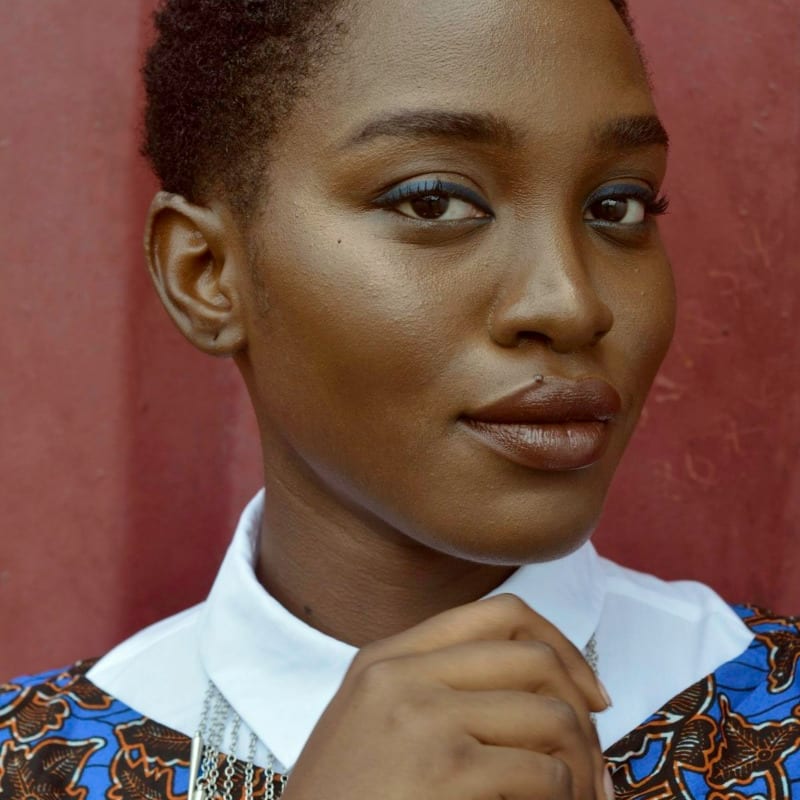
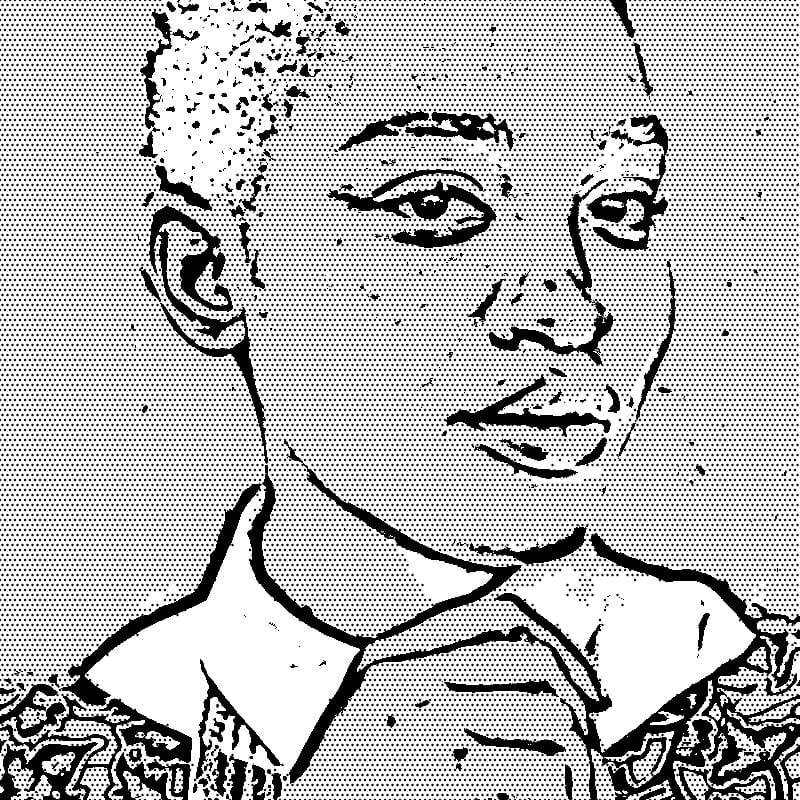
Line Extraction and Halftone Generation: The conversion algorithm separates the photograph into two distinct visual components that map to the two fundamental elements of manga artwork. First, adaptive thresholding is applied to extract strong edges — the boundaries between objects, the outlines of structures, the contours of shapes. These become the bold black ink lines that define the drawing. The algorithm parameters are tuned to produce lines that resemble the confident, clean strokes of a manga artist's inking pen — continuous, varying slightly in weight, free of the jittery noise that a generic edge detector might produce. Second, the mid-tone areas of the photograph — regions that are neither very bright nor very dark — are converted into halftone dot patterns. The algorithm analyzes the brightness of each mid-tone region and generates a corresponding dot pattern where darker areas receive larger, denser dots and lighter areas receive smaller, sparser dots. Very bright areas are left as clean white (paper), and the darkest areas may receive solid black fill. The two layers — ink lines and screentone dots — are composited together to produce the final manga-style image.
How the Algorithm Separates Edges from Mid-Tones
The separation of edges and tonal information is handled through a multi-step process. First, the image is converted to grayscale and analyzed for edge strength using gradient computation. Pixels with strong gradients (rapid brightness changes) are classified as edge candidates. These undergo adaptive thresholding to become the ink line layer. The remaining pixels — those with moderate gradient values and moderate brightness — are classified as mid-tone regions suitable for screentone application. Very bright pixels (highlights) and very dark pixels (deep shadows) are handled differently: highlights become white paper, while deep shadows become solid black ink fills, just as they would in a hand-drawn manga page. This separation process is what gives the output its authentic manga quality — it is not simply a filter applied uniformly across the image, but a genuine decomposition into the two visual components that define the manga aesthetic.
Manga Versus Western Comic Art Styles
Understanding the difference between manga and Western comics helps explain why screentone is so central to the manga look. Traditional Western comics — particularly American superhero comics — relied heavily on solid black areas, crosshatching, and (in color comics) flat color fills applied by a separate colorist. The visual language emphasized bold shapes and dynamic compositions. Manga, constrained by black-and-white printing for economic reasons (Japanese manga magazines print hundreds of pages on newsprint), developed screentone as its primary tool for conveying tonal range within a strictly black-and-white medium. The result is a visual style where information density is achieved through pattern rather than color or continuous tone. This is precisely what our algorithm replicates: the conversion of photographic continuous tone into the binary language of ink lines and dot patterns.
Using Converted Backgrounds in Manga Panels
One of the most practical applications of this tool is generating background art for manga panels from reference photographs. Drawing detailed architectural backgrounds is one of the most time-consuming aspects of manga production. Many professional manga assistants spend hours rendering accurate perspective drawings of cityscapes, interiors, and landscapes. Converting a reference photograph into manga-style artwork provides a starting point that can be used directly or traced and refined. To integrate the converted background into a panel, download the output and import it into your drawing software. Layer your character art on top, ensuring the line weights are consistent. You may need to adjust the intensity setting to match the level of detail in your character linework — overly detailed backgrounds can overwhelm simpler character drawings.
Aspect Ratios and Page Layouts for Manga
Traditional manga is published in a variety of page sizes, but standard tankobon (collected volumes) use a B6 format (128 x 182 mm). Magazine serialization uses larger B5 pages. The panel layouts within these pages follow conventions that differ from Western comics — manga panels are typically read right to left, and the dynamic arrangement of panels (from full-page bleeds to narrow vertical strips) creates rhythm and pacing. When preparing background art for manga panels, consider the aspect ratio of the specific panel where the background will appear. Horizontal panoramic panels work well for establishing shots of cityscapes and landscapes. Vertical panels suit tall buildings, trees, and dramatic perspective views looking upward. The tool produces a rectangular output that you can crop to fit any panel shape.
Digital Manga Tools Comparison
Several software applications are widely used for manga creation, and understanding their strengths helps you integrate converted backgrounds into your workflow. Clip Studio Paint (formerly Manga Studio) is the industry standard for digital manga, with built-in screentone libraries, perspective rulers, and tools specifically designed for manga production. It imports PNG files seamlessly and allows you to layer converted backgrounds beneath character art. MediBang Paint is a free alternative with cloud-based storage and a solid set of manga-specific tools including tone and panel creation. Krita is an open-source painting application that, while not manga-specific, has grown a strong following among manga artists for its brush engine and layer management. All three applications can import the PNG output from this tool and provide the editing capabilities needed to integrate it into finished manga pages.
Workflow for Manga Background Creation
A practical workflow for using photo-converted backgrounds in manga follows these steps. First, take or find reference photographs of the location or scene type you need. Cityscapes, train stations, school corridors, parks, and residential streets are common manga settings. Upload the photograph to the tool and adjust the Intensity slider: lower values produce cleaner, simpler backgrounds with prominent lines and less dense screentone, while higher values capture more architectural detail and produce denser dot patterns. Download the result and open it in your manga creation software. If the converted background will appear behind characters, erase any areas where characters will be placed. Adjust the overall brightness if the screentone pattern is too dominant relative to your character art. Finally, add panel borders and integrate the background into your page layout.
Doujinshi and Self-Publishing Considerations
Doujinshi — self-published manga, often sold at events like Comiket — has a long tradition in Japanese fan culture and increasingly in international manga communities. For doujinshi creators working without assistants, the background art workflow can be a significant bottleneck. Converting reference photographs into manga-style backgrounds dramatically accelerates production time, allowing solo creators to produce work with professional-looking backgrounds that would otherwise require hours of manual drawing and toning. When preparing doujinshi for print, ensure your output resolution is sufficient for your printing method. Offset printing typically requires 600 DPI for clean screentone reproduction. On-demand digital printing services may accept 300 DPI but check with your printer for their specific requirements. The HD export option in the tool provides output suitable for most print applications.
Manga for Social Media and Webtoon Format
The rise of webtoons — vertically scrolling digital comics popularized by platforms like LINE Webtoon, Tapas, and Lezhin — has created new opportunities and new requirements for manga-style artwork. Webtoons are typically 800 pixels wide with unlimited vertical scroll length, designed for smartphone reading. The viewing context is different from printed manga: readers scroll rather than turning pages, panels are often separated by vertical whitespace rather than arranged in grid layouts, and the artwork must read clearly on small screens. Manga-style backgrounds converted from photographs work well in the webtoon format — the bold lines and clear screentone patterns remain legible at mobile screen resolutions. When creating backgrounds for webtoons, consider processing your reference photos at a slightly lower intensity to keep the backgrounds simple enough to read on a phone screen without overwhelming the narrative.
Copyright and Reference Photo Usage in Manga
The legal relationship between reference photographs and manga artwork is an important consideration. In Japanese manga practice, using photographs as reference for background drawing is standard and accepted — virtually all professional manga artists work from reference photos, either taken themselves or sourced from reference photo collections published specifically for manga use. Converting a photograph into a manga-style image through algorithmic processing adds an additional layer of transformation. When using your own photographs, there are no copyright concerns. When using photographs taken by others, the degree of transformation matters from a legal perspective. The screentone conversion substantially transforms the image from a photographic representation into a manga-style illustration, but best practice is to use your own reference photos or images with appropriate usage rights. Several publishers offer royalty-free manga background reference photo collections specifically for this purpose.
For other artistic effects, try our halftone dot pattern generator for Pop Art-style output or the vintage engraving converter for a classic etched illustration look.
All processing runs locally in your browser using WebAssembly technology. Your reference photos are never uploaded to any server. Free, instant results with no account required.