Why Sketch-Style Wedding Art Endures
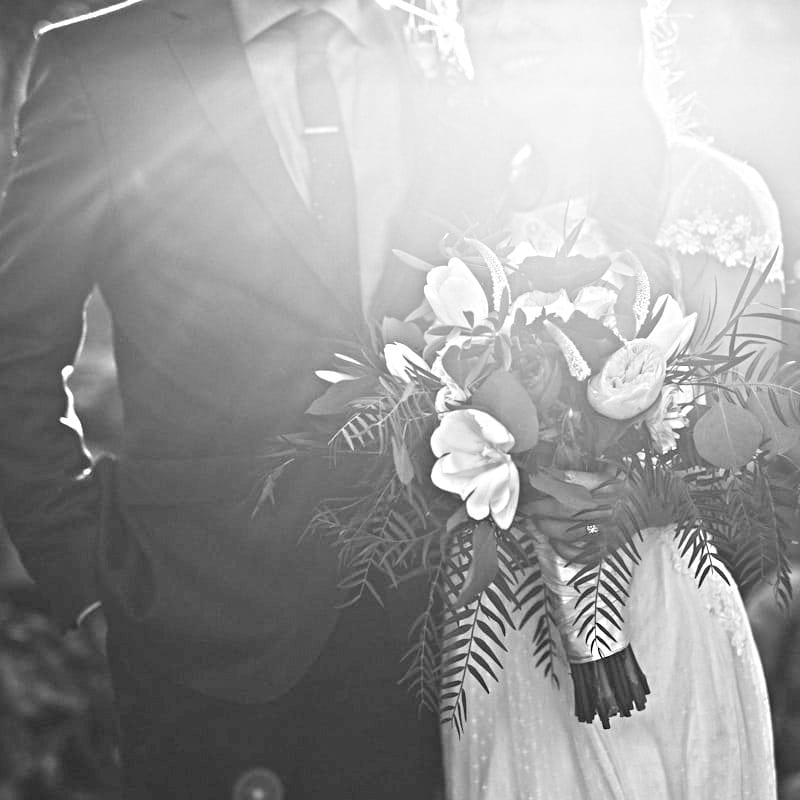
There is something about a pencil sketch that photographs cannot replicate. A sketch abstracts away the literal details of a moment — the precise color of a tie, the specific pattern of a dress — and distills the image down to its emotional essence. Faces become defined by the interplay of light and shadow rather than by photographic precision. This abstraction gives sketch portraits a romantic, dreamlike quality that resonates deeply with the sentiment of a wedding. Sketch-style art also has a practical advantage: it reproduces beautifully across a wide range of media. A pencil sketch looks equally elegant printed on thick cotton invitation stock, embossed on a vellum overlay, displayed on a wedding website, or projected on a screen at the reception. It scales gracefully from a small thank-you card to a large framed print without losing its character.
The Color Dodge Blend Algorithm Explained
The pencil sketch effect produced by this tool uses a technique called Color Dodge blending, which is rooted in traditional darkroom photography. Here is how it works technically: the original photograph is first converted to grayscale. A copy of this grayscale image is then inverted — turning light areas dark and dark areas light. This inverted copy is heavily blurred using a Gaussian blur filter, which softens it into a smooth gradient of tones. Finally, the blurred inverted image is blended with the original grayscale using the Color Dodge blend mode. In this blend mode, each pixel in the base image is divided by the inverse of the corresponding pixel in the blend layer. Where the blurred inverse is dark (corresponding to originally light areas), the result is bright white. Where the blurred inverse is light (corresponding to originally dark edges and contours), the pencil-stroke-like details emerge. The mathematical result closely mimics the appearance of graphite pencil strokes on white paper.
How It Creates Flattering Portrait Effects
The Color Dodge technique is particularly well-suited for portraits because of how it handles facial features. Soft shadows — the gentle gradations around cheekbones, jawlines, and the bridge of the nose — are rendered as delicate pencil shading rather than harsh dark patches. Fine details like eyelashes, eyebrow hairs, and the subtle curves of lips are preserved with clarity because they represent strong local contrast in the original photograph. Meanwhile, broad areas of similar tone — smooth skin, solid-colored clothing, even backgrounds — become clean white space. The net effect is a portrait that is recognizably the subject but rendered in an idealized, flattering style that minimizes blemishes, uneven skin tone, and other imperfections that couples might prefer to soften.
Choosing Engagement and Couple Photos for Best Results
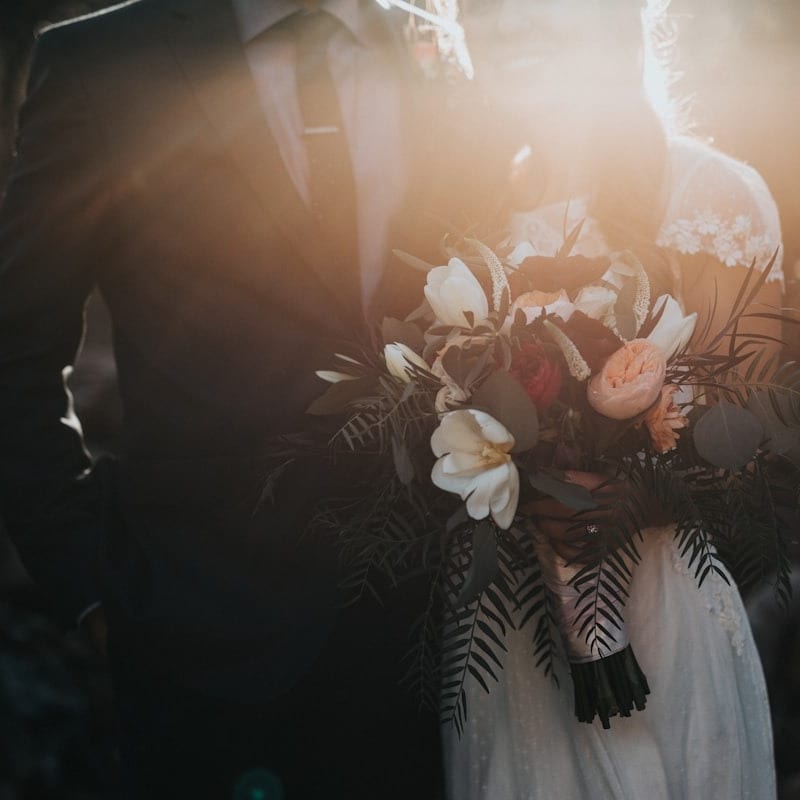
The quality of the sketch output depends significantly on the source photograph. The best results come from photos where both subjects are well-lit with soft, directional light — the kind of natural light you find during the "golden hour" just after sunrise or before sunset, or on an overcast day with diffused cloud cover. Strong contrast between the subjects and the background produces the cleanest separation in the sketch. Avoid photos where the background is busy or similarly toned to the subjects, as this can cause background elements to merge with the portrait in the sketch output. Close-up and medium shots work better than full-body distant shots, because facial features need to be large enough in the frame for the algorithm to preserve them with clarity. If the couple is posed against a complex background, consider using the Eraser tool after conversion to clean up any distracting background artifacts.
Lighting Recommendations for Wedding Photography
If you are planning a photo shoot specifically to create sketch artwork, certain lighting setups produce superior results. Rembrandt lighting — where a single light source is positioned at roughly 45 degrees to the side and slightly above the subject — creates the kind of defined shadows that translate beautifully into pencil sketch strokes. Window light is excellent for indoor shots: position the couple beside a large window and allow the soft, diffused daylight to illuminate them from one side. Avoid direct flash, which flattens the tonal range and eliminates the shadows that give sketches their dimensional quality. Backlighting and rim lighting can create dramatic sketch effects, with the outline of the subjects glowing against a darker background.
Using Sketches Across Wedding Stationery
A single well-converted sketch portrait can serve as the visual anchor for an entire suite of wedding materials. For formal invitations, the sketch can be placed as a central illustration on the cover or as a smaller vignette inside. Save-the-date cards benefit from a more casual or candid sketch — perhaps a photo from the proposal or a favorite date location. Ceremony programs can feature the sketch as a header, with the order of events listed below. Table number cards can incorporate small sketch details. Guest book signing pages can present the couple's sketch portrait alongside blank space for messages. Thank-you cards sent after the wedding gain a personal touch when they feature the same sketch artwork from the invitation suite, creating visual continuity across the entire wedding communication.
Printing on Specialty Paper
The choice of paper stock dramatically affects how a sketch portrait looks and feels. Cotton paper (like Crane's Lettra or Mohawk Via) has a soft, textured surface that gives printed sketches a hand-drawn quality — the slight tooth of the paper catches ink in a way that mimics actual pencil strokes. Linen-textured paper adds a subtle crosshatch pattern that complements the sketch aesthetic. Vellum overlays can be printed with the sketch and layered over colored or patterned backing paper for a sophisticated dimensional effect. For the most luxurious result, consider letterpress printing, where the sketch lines are physically pressed into thick cotton stock, creating a tactile impression you can feel with your fingertips.
Coordinating Sketch Style with Wedding Themes
The intensity and line weight settings in the tool allow you to match the sketch aesthetic to different wedding themes. For a rustic or bohemian wedding, a slightly higher intensity with visible pencil texture creates an organic, hand-crafted feel. For a formal black-tie affair, lower intensity with clean, minimal lines produces an elegant, refined portrait. For a modern minimalist wedding, reduce the intensity significantly to capture only the essential outlines of the faces — almost an abstract representation. For a vintage-themed wedding, combine the sketch output with aged paper textures and period-appropriate typography.
DIY Wedding Invitation Workflow
Creating professional-quality wedding invitations from your sketch portrait follows a straightforward process. First, select your best couple photograph and upload it to the tool. Adjust the Intensity slider until the sketch captures the right level of detail — most couples find that a medium setting works best for invitations. Download the high-resolution PNG output. Open the image in a design tool such as Canva, Adobe InDesign, or even Microsoft Word. Place the sketch on your invitation layout, add your wedding text and details, and choose complementary fonts. Print on quality card stock using a laser printer for crisp lines, or upload to a professional printing service for offset or letterpress production.
Sketches for Wedding Websites and Social Media
Beyond print materials, sketch portraits make distinctive visual content for digital wedding communications. Use the sketch as the header image for your wedding website on platforms like The Knot, Zola, or a custom site. Post the sketch as an engagement announcement on Instagram or Facebook — its distinctive artistic style stands out in feeds dominated by photographic content. Create animated reveals for social media stories by transitioning from the original photograph to the sketch version. The sketch format also works well for wedding hashtag graphics and digital save-the-dates sent via email.
Anniversary Gifts Using Original Wedding Photos
The sketch conversion tool is not only for pre-wedding use. Converting original wedding photographs into pencil sketch art creates meaningful anniversary gifts. A sketch of the first dance, the ceremony kiss, or a candid reception moment makes a thoughtful paper anniversary (first anniversary) gift. Frame it in archival-quality materials for a piece of art that gains sentimental value over the years. Some couples create a series of sketches from different moments throughout their wedding day, arranged as a gallery wall or compiled into a small book.
Working with Wedding Planners and Stationers
If you are working with a wedding planner or professional stationer, sharing your sketch file early in the design process allows them to build the entire visual identity of your wedding around it. Most planners appreciate receiving high-resolution PNG files that can be incorporated into their design software. Discuss with your stationer how the sketch will interact with other design elements — foil stamping, embossing, envelope liners — to create a cohesive suite.
Cost Comparison with Commissioned Artist Portraits
Commissioning a professional artist to create a hand-drawn wedding portrait typically costs between 150 and 500 dollars, depending on the artist's reputation, the medium, and the level of detail. Rush orders and revisions add to the expense. This tool produces results that are visually comparable to commissioned work — the Color Dodge technique genuinely mimics graphite pencil rendering — at no cost and with instant delivery. For couples working within a wedding budget, this represents a significant savings that can be redirected to other priorities. The ability to experiment with multiple photographs and settings before committing to a final design is another advantage over commissioned work, where each revision typically incurs additional fees.
For other portrait effects, consider our pet portrait sketch tool or the pencil sketch converter for general-purpose pencil drawing effects.
All processing runs entirely in your browser — your personal couple photos are never uploaded to any server. Your intimate moments remain completely private. Free, instant, no account required.