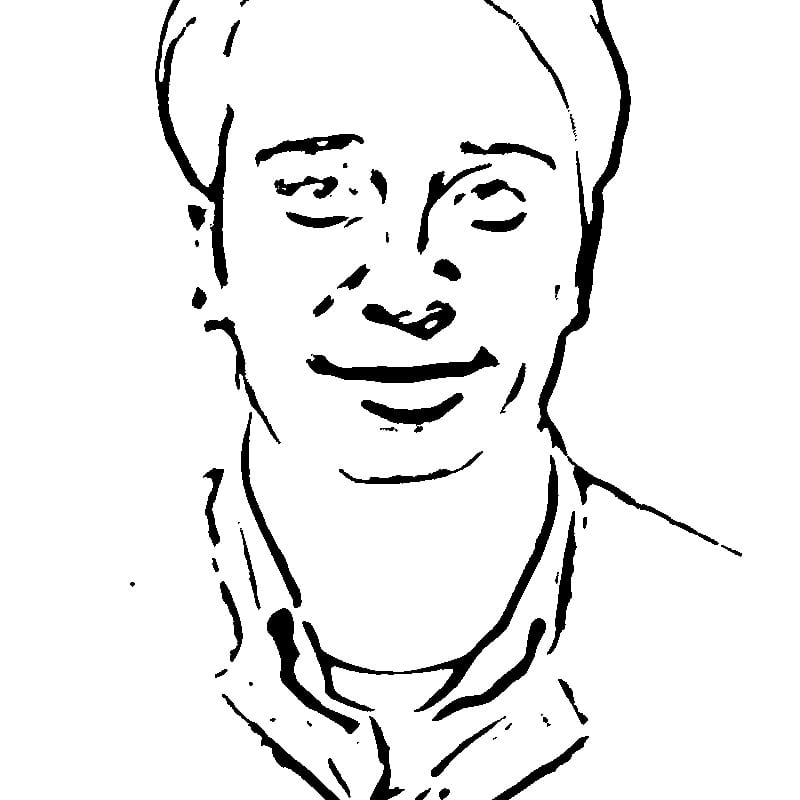
Why Avatars Matter for Personal Branding
Personal branding has become an important consideration for professionals, freelancers, content creators, and anyone who maintains a public or semi-public online presence. Your avatar is the visual cornerstone of that brand. Consistency across platforms — using the same recognizable image on LinkedIn, GitHub, Twitter/X, email signatures, and conference speaker pages — builds familiarity and makes you easier to find and remember. A distinctive avatar also helps in contexts where many people are listed together, such as contributor pages on open-source projects, speaker lineups at conferences, or team directory pages. In these crowded visual environments, an avatar that stands out from rows of standard headshots gives you a subtle but real advantage in being noticed and remembered.
Types of Avatar Styles
Profile pictures generally fall into several categories. Photographic avatars use an actual photograph of the person — this is the most common approach and the default expectation on professional platforms like LinkedIn. Illustrated avatars are hand-drawn or digitally illustrated versions of a person's likeness, popular among creative professionals and in gaming communities. Cartoon avatars use a simplified, stylized representation — services like Bitmoji and various "avatar maker" apps produce these. Abstract avatars use geometric shapes, patterns, or symbols rather than a human likeness. And then there are line art avatars — clean, minimal renderings that capture the essential contours of a face using bold black lines on a white background. Each style communicates something different about the user, and each has contexts where it works best.
Why Minimalist Line Art Avatars Work Well
Line art avatars occupy a unique position in the spectrum of profile picture styles. They are recognizably "you" while being clearly artistic rather than photographic, which signals intentionality and design awareness. They are bold and high-contrast, which means they remain legible and distinctive at any display size — from a 16-pixel favicon to a 400-pixel profile header. They reproduce cleanly in any context: on screens, in print, on merchandise, in email signatures, at any resolution. They are inherently professional without being corporate — they work on LinkedIn without looking stuffy, and on creative platforms without looking generic. And because they strip away color, texture, and photographic detail, they age well — a line art avatar created today will look just as current five years from now, whereas photographic avatars can feel dated as appearance changes.
The Adaptive Threshold and Median Blur Algorithm Explained
The technical process that converts a photograph into clean line art involves two key operations working together. First, a strong median blur filter is applied to the photograph. Unlike Gaussian blur, which simply averages pixel values, median blur replaces each pixel with the median value of its surrounding neighborhood. This has a remarkable property: it eliminates fine textures and noise — such as skin pores, fabric weave, hair strands, and background grain — while preserving hard edges like the outline of a jaw, the boundary of an eyebrow, or the rim of glasses. The blurred image is then processed with adaptive thresholding, which examines each small region of the image independently and determines a local black-or-white cutoff point. This adaptive approach handles varying lighting conditions across the face — shadows under the chin, highlights on the forehead — much better than a single global threshold would. The combination of strong median blur and adaptive thresholding produces the characteristic clean, bold line art look: essential facial features rendered in confident black strokes surrounded by clean white space.
The Square Crop Feature and Platform Requirements
Almost every major social platform displays profile pictures as squares or circles, and most require or prefer a 1:1 aspect ratio upload. Instagram displays profile pictures as 110x110 pixel circles on mobile. Twitter/X uses 400x400 pixels. LinkedIn accepts up to 400x400. Discord displays avatars at 128x128 in most contexts. GitHub shows profile images at 460x460 on profile pages and as small as 20x20 in commit logs. Slack displays avatars at 72x72 in messages. The one-click Square Crop button in this tool automatically detects the face in your photograph, centers it, and crops to a perfect square — ensuring your line art avatar is properly formatted for every platform without manual cropping or resizing.
Avatar Consistency Across Platforms
Using the same avatar image across all your online profiles creates a cohesive digital identity. When someone connects with you on LinkedIn, then sees the same avatar in your GitHub contributions, then recognizes it again in a conference speaker list, each sighting reinforces their memory of you. This consistency is particularly valuable for professionals who are active across multiple communities — developers who post on Stack Overflow and GitHub, designers who share on Dribbble and Behance, writers who publish on Medium and maintain a personal blog. A distinctive line art avatar serves this purpose well because its bold, simplified aesthetic is recognizable even as a tiny thumbnail in a browser tab.
Color Versus Black-and-White Considerations
While this tool produces black-and-white line art, it is worth understanding when monochrome works best and when you might want color. Pure black-and-white line art has maximum contrast and readability at small sizes. It prints perfectly on any medium — business cards, letterheads, conference badges. It looks clean against any background color. However, some contexts benefit from a touch of color: you might add a colored background behind your line art avatar for brand recognition (a consistent blue, green, or other brand color), or use the avatar as a base and add color accents in a graphics editor. The high-contrast black-and-white PNG output from this tool serves as an excellent starting point for either approach.
When to Update Your Avatar
A common question is how often you should change your profile picture. The answer involves balancing two competing considerations. On one hand, consistency builds recognition — frequent changes undermine the familiarity advantage. On the other hand, an avatar that no longer resembles you can create awkward moments when you meet someone in person who was expecting a different appearance. A practical approach: update your avatar when your appearance changes significantly (new hairstyle, glasses, facial hair changes), or when a life transition calls for a different professional presentation. Line art avatars are somewhat forgiving in this regard because the abstracted style means minor appearance changes are less noticeable than they would be in a photograph.
Avatars for Teams and Businesses
Beyond individual use, line art avatars can be used to create visual cohesion for teams. A startup might generate line art avatars for all team members, displaying them on the "About" page with a consistent visual style. This looks more intentional and polished than a collection of mismatched headshots taken in different lighting conditions with different cameras. Conference organizers can create consistent speaker profiles. Podcast hosts can use line art versions for show artwork. The unified aesthetic communicates professionalism and attention to detail.
Creating Cohesive Team Avatar Sets
To create a matching set of team avatars, process all photographs at the same Intensity setting and ensure consistent lighting in the source photos if possible. If team members supply their own photos (as is typical), you can compensate for lighting differences by adjusting the intensity individually until the line weight and detail level appear consistent across the set. The goal is that all avatars in the set look like they were drawn by the same illustrator — same line thickness, same level of detail, same balance of black and white.
Accessibility Considerations
Avatars should be accessible to all users, including those with visual impairments. When uploading your line art avatar to any platform, always fill in the alt text field with a brief description — for example, "Black and white line art portrait of [name]." Consider that your avatar will be displayed at very small sizes in many contexts: at 32 pixels square, only the boldest features will be distinguishable. Test your avatar at small sizes to confirm it remains recognizable — the high-contrast nature of line art generally performs well here, but very detailed avatars may become muddy at thumbnail scale. For users with low vision, the stark black-on-white contrast of line art avatars is actually more accessible than many photographic avatars, which may have subtle tonal differences that are hard to perceive at reduced contrast.
Avatars in Email Signatures and Business Cards
A line art avatar adds a personal touch to professional communications. In email signatures, a small avatar next to your name and contact details makes your messages more memorable and personal. Most email clients support inline images in signatures — export your avatar at approximately 80x80 to 100x100 pixels for this purpose. On business cards, a line art portrait printed in black ink on white or cream stock creates a distinctive and memorable design. The clean lines reproduce perfectly in standard business card printing, unlike photographs which can suffer from low print resolution and color inconsistencies.
Legal Considerations of Photo-Based Versus AI-Generated Avatars: Using a line art avatar derived from your own photograph carries no legal complications — you own the source material and the tool simply processes it in your browser. This is worth noting because AI-generated avatar services, which have become popular, raise more nuanced questions. Some AI avatar generators train on datasets that may include copyrighted images, and the ownership status of AI-generated imagery remains legally unsettled in many jurisdictions. By contrast, a line art conversion of your own photograph is a straightforward derivative work of media you control. For professional contexts where intellectual property clarity matters, this distinction can be relevant.
The Intensity slider gives you control over how much detail is preserved. Lower values create ultra-simplified, almost iconic avatars with only the most essential features visible — the kind of bold, minimal portrait that works as a logo. Higher values retain more facial detail for a more recognizable likeness, including secondary features like smile lines, dimples, and subtle facial structure.
For different artistic styles, try our one-line art generator for continuous single-line portraits or the pencil sketch converter for a softer, more traditional drawn look.
Download your avatar as a high-resolution PNG with pure white background — ready to upload to any platform. All processing runs in your browser; your selfie is never uploaded anywhere. Completely free with no sign-up required.