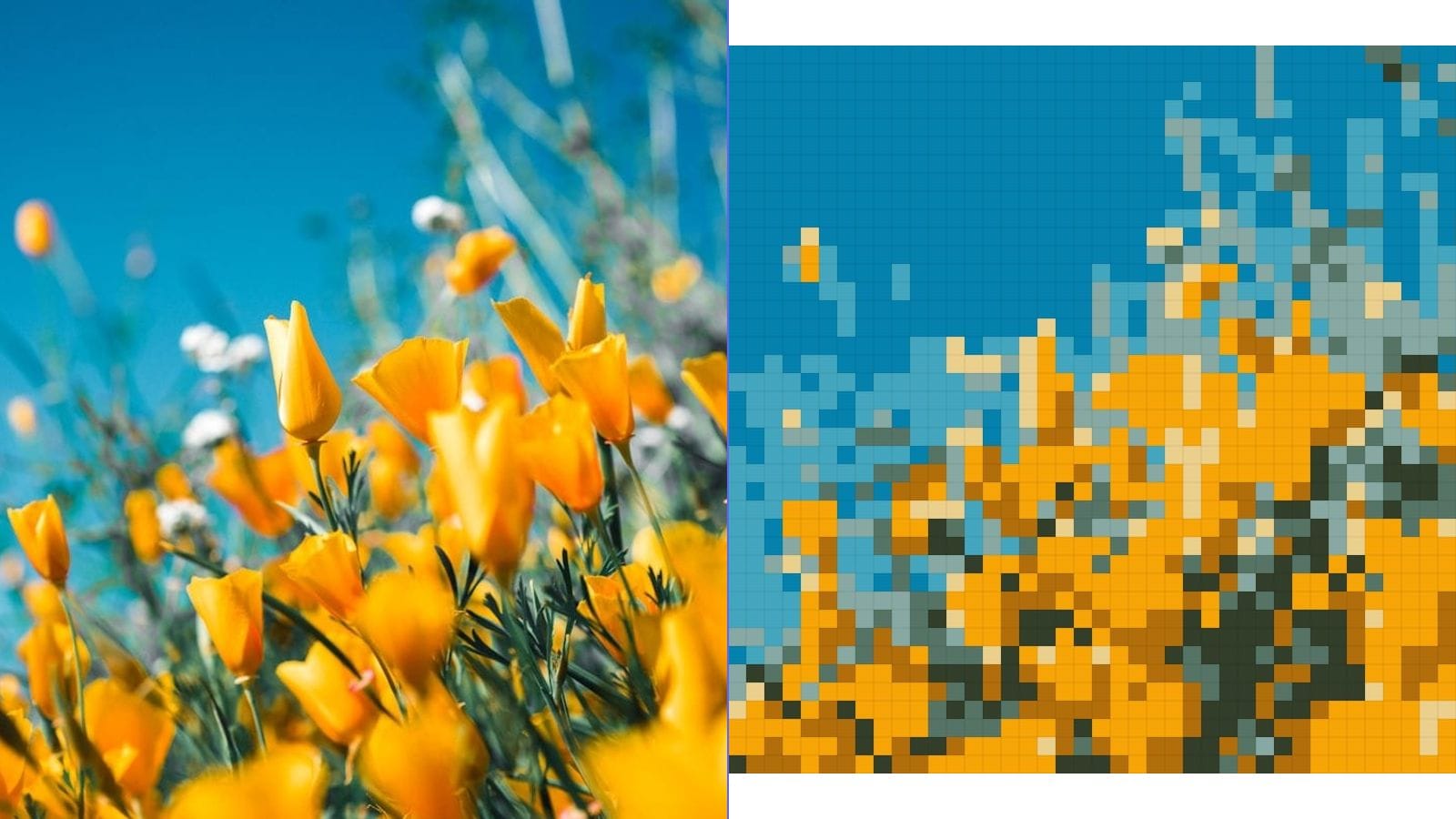
Quick Summary
The best free cross stitch pattern maker in 2026 depends on your needs: MakeLineArt is best for beginners and privacy-conscious users (100% free, no sign-up, browser-based processing), FlossCross offers the most editing control with 498 DMC colors, and Stitchmate provides unique confetti cleanup. All five tools compared below can convert photos to cross stitch patterns, but they differ significantly in pricing, features, and privacy.
Finding the Right Cross Stitch Pattern Maker
Converting a photograph into a cross stitch pattern is one of the most popular forms of needlework customization. Instead of stitching a pre-designed pattern, you can transform your own family photos, pet portraits, landscapes, and personal artwork into gridded patterns ready to stitch.
Several free tools exist for this purpose, but they differ significantly in features, output quality, and usability. This comparison covers the five most popular free cross stitch pattern makers available in 2026, helping you choose the right tool for your project.
The Tools Compared
Pic2Pat
Pic2Pat is one of the oldest online cross stitch pattern converters. It has been available since the early 2010s and remains a popular choice due to its simplicity.
How it works: Upload a photo, select the number of colors (up to 60), choose your fabric count, and set the pattern width in stitches. Pic2Pat generates a downloadable PDF pattern with a symbol chart, color key, and thread list mapped to DMC colors.
Strengths:
- Simple, straightforward interface
- PDF output with printable symbol charts
- DMC color mapping included
- No registration required
Limitations:
- No real-time preview — you must generate and download to see results
- Limited control over color selection (algorithm chooses colors automatically)
- No confetti reduction features
- Basic color reduction algorithm can produce noisy patterns with many single-stitch color spots
- Interface looks dated
FlossCross
FlossCross is a more feature-rich online pattern maker that offers both free and premium tiers.
How it works: Upload a photo and use the editor to adjust colors, pattern size, and thread palette. FlossCross provides a real-time preview of the pattern grid with color and symbol views.
Strengths:
- Real-time pattern preview
- Manual color editing — you can add, remove, or swap colors
- Extensive DMC thread database with 498 colors
- Pattern editing tools (draw, erase, fill)
- Community gallery for inspiration
Limitations:
- Free tier limits pattern size and export options
- No automatic confetti cleanup
- Some advanced features require a paid account
- Can feel overwhelming for first-time users
Stitch Fiddle
Stitch Fiddle supports multiple craft types beyond cross stitch, including knitting, crochet, and diamond painting.
How it works: Upload a photo, set the grid size and number of colors, and the tool generates an editable pattern. You can switch between cross stitch, knitting, and crochet pattern views.
Strengths:
- Supports multiple craft types (cross stitch, knitting, crochet, diamond painting)
- Pattern editing tools
- Detailed stitch-by-stitch view
- PDF export with symbols and color key
Limitations:
- Free tier has significant limitations (pattern size, exports)
- Full features require a paid subscription
- Photo conversion quality is average — works best with simple images
- No specialized confetti reduction
Stitchmate
Stitchmate is a newer entry that has gained significant attention in the cross stitch community for its innovative features.
How it works: Upload a photo and Stitchmate uses a proprietary FLOW Score algorithm to predict how satisfying the finished pattern will be to stitch. It includes automatic confetti cleanup that identifies and removes isolated single stitches.
Strengths:
- FLOW Score predicts stitching satisfaction
- Automatic confetti cleanup — removes isolated single stitches
- Clean, modern interface
- Active development with frequent updates
Limitations:
- Newer tool with a smaller user community
- Some features require account creation
- FLOW Score is proprietary — hard to verify its accuracy
- Limited free tier
MakeLineArt
Our own cross stitch pattern maker takes a different approach: maximum simplicity, zero cost, and complete privacy.
How it works: Upload any photo, adjust the intensity slider to set grid resolution, and use the color count control (2-32 colors) to set complexity. The pattern generates in real time with a visible grid overlay. Download as a high-resolution PNG.
Strengths:
- 100% free with no limitations, no watermarks, no sign-up
- Real-time preview with instant adjustments
- Adjustable color count (2-32 colors) with K-Means color clustering
- Grid overlay for easy stitch counting
- 100% browser-based — photos never leave your device
- Available in 10 languages
- Works on any device including phones and tablets
Limitations:
- Exports as PNG rather than PDF symbol chart
- No manual color editing
- No DMC thread number mapping (colors are displayed visually)
- No confetti-specific cleanup tool (use lower color counts to reduce confetti naturally)
Feature Comparison Table
Here is a side-by-side comparison of key features across all five tools:
| Feature | Pic2Pat | FlossCross | Stitch Fiddle | Stitchmate | MakeLineArt |
|---|---|---|---|---|---|
| Price | Free | Freemium | Freemium | Freemium | Free |
| Registration | No | Some features | Yes | Yes | No |
| Real-Time Preview | No | Yes | Yes | Yes | Yes |
| Max Colors | 60 | 498 DMC | Varies | Varies | 32 |
| Confetti Cleanup | No | No | No | Yes | No (use fewer colors) |
| Privacy (No Upload) | No | No | No | No | Yes |
| Mobile Friendly | Basic | Limited | Limited | Yes | Yes |
| Multi-Language | No | No | No | No | Yes (11 languages) |
| Output Format | PDF/PNG | PDF/PNG | PNG |
Choosing the Right Tool for Your Project
For Beginners
If you are new to cross stitch and want to create your first photo-based pattern, start with MakeLineArt. The zero-friction experience — no account, no cost, instant results — lets you experiment freely. Use a low color count (4-8 colors) for your first project and choose a simple photo with good contrast.
For Experienced Stitchers
If you want fine-grained control over color selection and pattern editing, FlossCross offers the most comprehensive editing tools. If confetti reduction is your top priority, Stitchmate's automatic cleanup feature is currently the best in class.
For Privacy-Conscious Users
If your source photos contain sensitive content — family photos, client images, memorial portraits — MakeLineArt is the only tool that processes everything locally in your browser. Your photos are never uploaded to any server.
For Multi-Craft Projects
If you work across multiple crafts (cross stitch, knitting, crochet), Stitch Fiddle's multi-craft support saves you from learning different tools for each medium.
Tips for Better Photo-to-Pattern Results
Regardless of which tool you choose, these tips will improve your results:
Photo Selection
- Choose high-contrast photos with clear subjects
- Simple backgrounds produce cleaner patterns
- Close-up portraits work better than full-body shots at small pattern sizes
- Avoid photos with very fine details that will be lost in the grid
Color Count
- 4-8 colors: Best for beginners and small projects (bookmarks, coasters)
- 8-16 colors: Good balance of detail and stitchability for medium projects
- 16-32 colors: Detailed patterns for experienced stitchers working on large pieces
Grid Size
- Smaller grids (40-60 stitches wide) produce quick, simple projects
- Medium grids (80-120 stitches wide) balance detail with reasonable completion time
- Large grids (150+ stitches wide) capture photographic detail but require months of stitching
Dealing with Confetti
Confetti — isolated single stitches of various colors scattered across the pattern — is the most common complaint about photo-based patterns. To minimize it:
- Use fewer colors (the most effective method)
- Choose photos with large, solid color areas
- Some tools offer confetti cleanup (Stitchmate)
- Manual cleanup in a pattern editor (FlossCross) is always an option
From Digital Pattern to Finished Piece
Creating the pattern is just the beginning. For a complete guide on the conversion process — from photo selection through printing and stitching — see our step-by-step cross stitch pattern guide. For help choosing the right thread colors, our DMC color matching guide covers K-Means color reduction and thread selection in detail. And for sizing guidance, the pattern size guide explains grid resolution, fabric counts, and finished dimensions.
Try the free cross stitch pattern maker and create your first photo-based pattern in under a minute.